
How to download 4K PBR textures for free
4 months ago
If you’re working in game development, archviz, or 3D visualization, finding high-quality 4K PBR textures for free can save you a lot of time and budget. The good news is that there are platforms where you can download production-ready assets without complicated paywalls or low-quality previews.
What are 4K PBR textures?
4K PBR (Physically Based Rendering) textures are high-resolution material sets designed to behave realistically under different lighting conditions. A typical PBR set includes:
- Albedo (Base Color)
- Normal map
- Roughness map
- Metallic map (if needed)
- Ambient Occlusion
These maps work together to simulate real-world surfaces like concrete, wood, metal, fabric, or stone inside engines like Unreal Engine or Blender.
How to download free textures from ShareTextures
Downloading textures from ShareTextures is designed to be quick and straightforward:
1. Visit the website
Go to ShareTextures and open the homepage.
2. Search or browse categories
You can either:
- Use the search bar to find specific materials (e.g. “rusty metal”, “wood floor”)
-
Or browse categories like nature, surfaces, or scanned materials
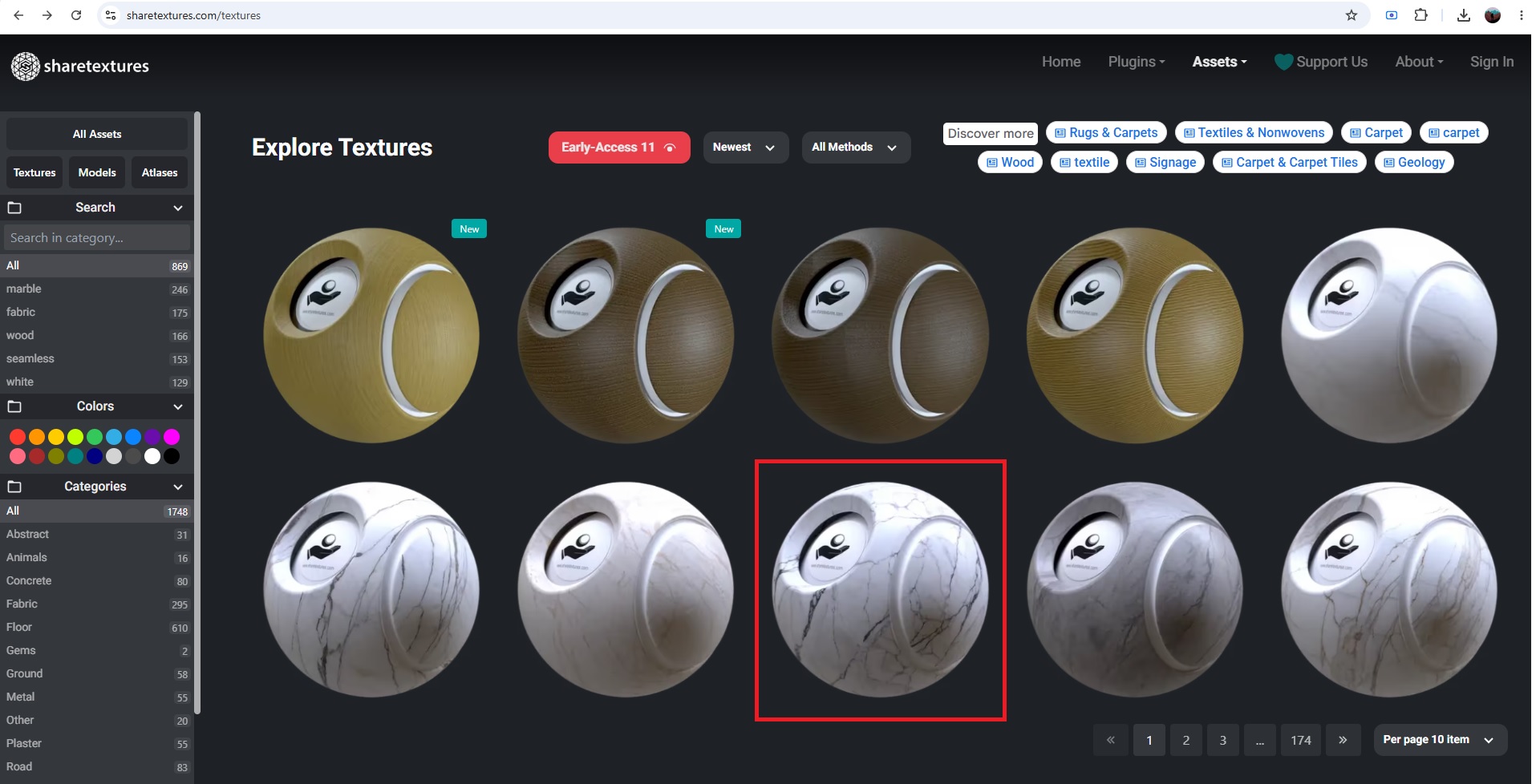
3. Open a texture page
Each texture has its own page where you can preview:
- Resolution (including 4K options)
- Material maps
-
Seamless tiling preview
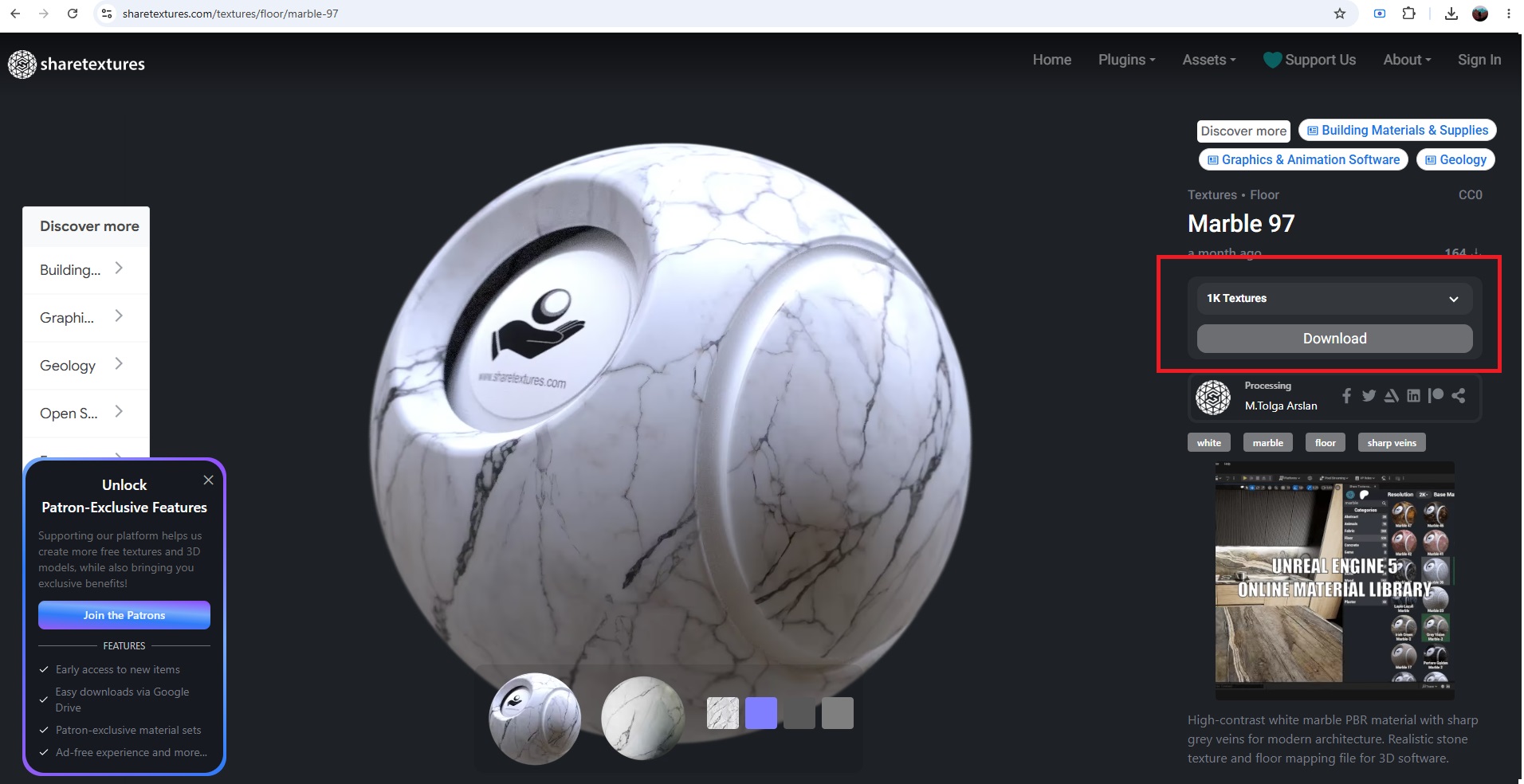
4. Download the texture set
All assets offer a free download option. Choose the 4K PBR package and download the ZIP file containing all maps.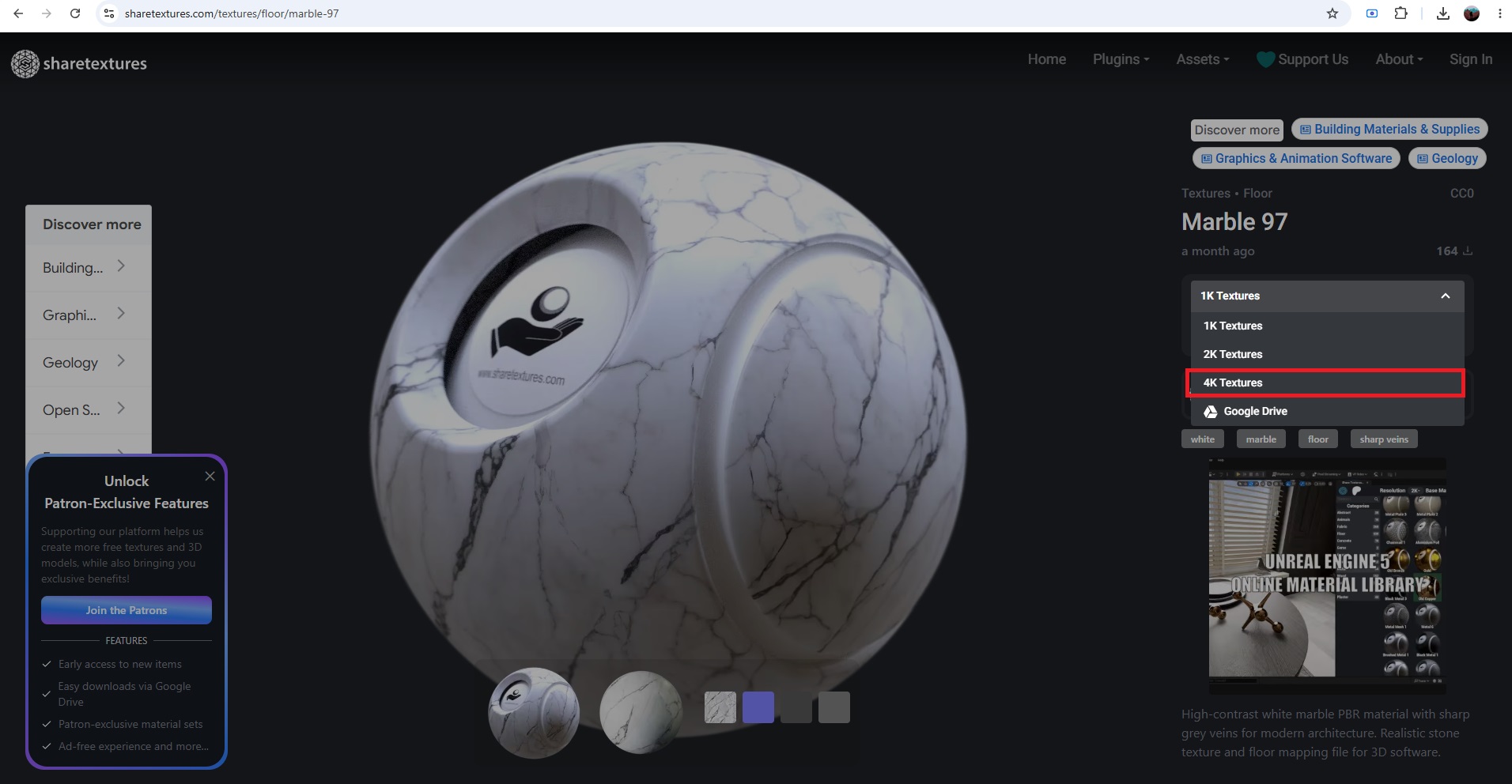
5. Import into your project
After downloading:
- Unzip the file
- Import maps into Unreal Engine, Blender, Unity, or your preferred software
-
Connect maps to the correct PBR slots
Tips for better results
- Always use the correct color space (sRGB for albedo, linear for data maps)
- Check tiling before final rendering
-
Combine textures with decals or vertex blending for realism
Why use ShareTextures?
The main advantage of ShareTextures is that it focuses on scanned, production-ready assets that are optimized for real-time engines. Instead of wasting time cleaning up low-quality textures, you get assets that are ready to drop directly into your workflow.