
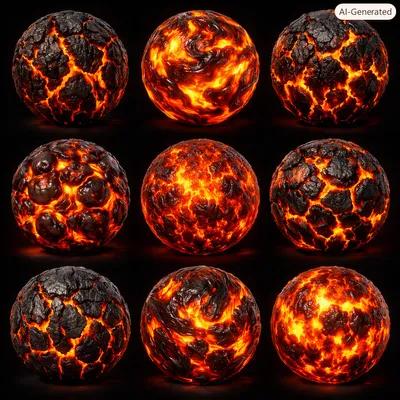
Most environment materials just need to catch light correctly. Lava needs to look like it's making its own. That single difference is why a texture pack that works fine for rock or dirt usually falls apart the moment you swap it in for magma: without a proper emissive map and a plan for how the surface should move, it reads as an orange rock, not molten stone.
This roundup collects six free, seamless, CC0 lava and magma textures from the ShareTextures library, picked specifically with game environments in mind. Each one ships with a full PBR-procedural map set, including emissive, so you can wire it into Unreal, Unity, or Blender without hunting down a separate glow mask.
A texture alone won't make lava feel alive. What sells it in-engine is what you do with the emissive channel after import, and that's covered further down.
Lava 01
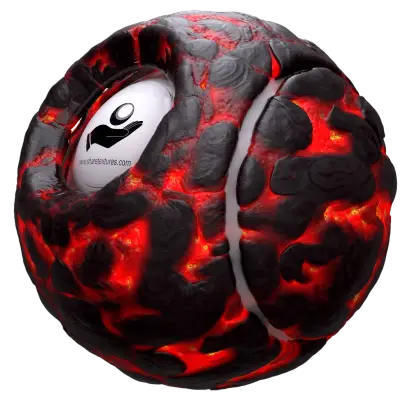
This is the library's original lava set, and it still gets the most downloads for a reason: a dark cooled basalt crust splits apart into bright fissures in a pattern generic enough to read as "lava" from any camera distance. If you only need one lava material for a whole level and don't have time to layer variants, this is the safe default. Full set: base color, normal, roughness, metallic, height, AO, emissive. Download Lava 01.
Lava 07
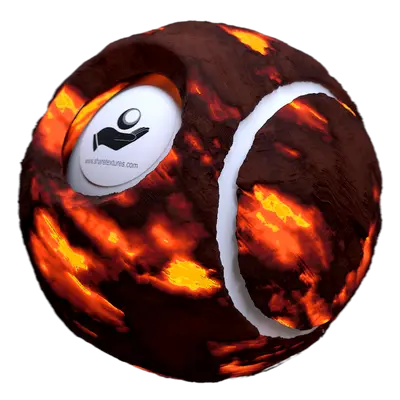
Pure procedural generation, this one has an irregularity to its crack pattern that's hard to fake. It's the one to reach for when the camera actually stops near the lava instead of flying past it, since the asymmetry holds up under scrutiny in a way a purely generated pattern often doesn't. Download Lava 07.
Lava 9, built for rivers and channels

Where Lava 01 is a flat crust, this one has a clear directional flow baked into the crack structure. Use it specifically for lava channels cutting through terrain or a waterfall-style lava drop, since the pattern already implies motion before any shader animation is applied. Download Lava 9.
Lava 10
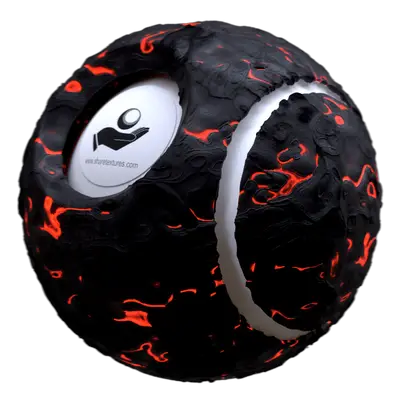
The crack network here is tighter than in Lava 01, and more of the surface reads as actively molten rather than cooled. It pairs well with a particle heat-distortion effect layered on top, since there's enough emissive area for the eye to connect the shimmer to the surface underneath it. Download Lava 10.
Lava 11
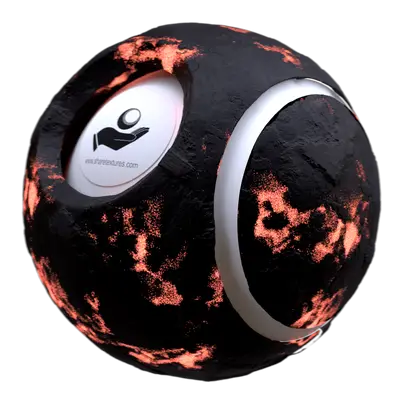
The newest set in the pack, built for terrain rather than close hero props. Its height map has enough range to hold up under real displacement or tessellation, so it doesn't go flat when the camera gets low, which is where a lot of terrain lava textures start to look painted on. Download Lava 11.
A couple more worth a look
The library also has Lava 02 and Lava 06, both CC0 and built to the same spec as the sets above. See the full set on the lava tag page.
What each map channel is actually doing
If you're new to lava shaders specifically, the map set is the same PBR channels you already know, but two of them carry more weight than usual:
- Emissive
- This is the map doing the real work. It defines where the surface glows, and multiplying it against a scrolling noise texture over time is what turns a static image into something that reads as flowing. Most engines need the emissive strength pushed well past 1.0 for it to register against a lit scene, and bloom needs to be on for it to feel hot rather than just orange.
- Roughness
- Cooled crust should read matte and rough. The active melt underneath should read closer to glass, low roughness, almost mirror-like at grazing angles. That contrast is doing as much visual work as the color itself.
- Height
- Wired into displacement or parallax occlusion, this is what keeps the crust from looking like a decal at low camera angles. Skip it and the material flattens out the moment a player gets close.
- Base color, metallic, AO
- These behave like they would on any other rock material: base color sets the cooled tone, metallic stays near zero since molten rock isn't a conductor in the game-shader sense, and AO deepens the cracks without needing extra geometry.
Making it move
None of the six textures above animate on their own. Getting real flowing lava out of a static set is a shader problem, not a texture problem, and it comes down to a short list:
- Pan the UVs of the emissive and base color maps slowly in one direction using a scrolling/panner node.
- Drive emissive intensity with a sine wave or a second noise texture, so the glow pulses rather than sitting at a flat value.
- If your engine supports flow maps, use one instead of a simple pan for anything that should look like it's actually running downhill.
- Layer a heat-distortion or refraction effect on top for close-up shots. It sells motion even where the texture itself is static.
None of this requires custom texture work. It's entirely shader graph setup on top of the maps included in each download above.
Free to use
All six textures are CC0 licensed, so they're free to use in commercial games, mods, or client work with no attribution required. Browse the rest of the library on the lava tag or the abstract texture category. Patrons get early access to new releases.