
Leaf and Foliage Texture Collection
a month ago
Leaf materials are often more difficult to build than they first appear. Thin geometry, translucency, irregular edges and small variations in color all affect the final result. This collection brings together scanned leaf and foliage resources that can be used directly in real time and offline 3D workflows.
Free Leaf Textures for 3D Projects
Foliage is one of those areas where texture quality has a visible impact even when the final asset is viewed from a distance. A small leaf can contain subtle veins, color variation, dry areas and changes in surface roughness that are difficult to reproduce with a simple painted map.
ShareTextures provides free PBR textures and CC0 textures that can be used as a starting point for vegetation materials, leaf cards, botanical assets and environmental scenes. The resources are suitable for Blender and other 3D software, as well as real time workflows used in Unreal Engine and Unity.
Foliage Atlases for Efficient Vegetation Assets
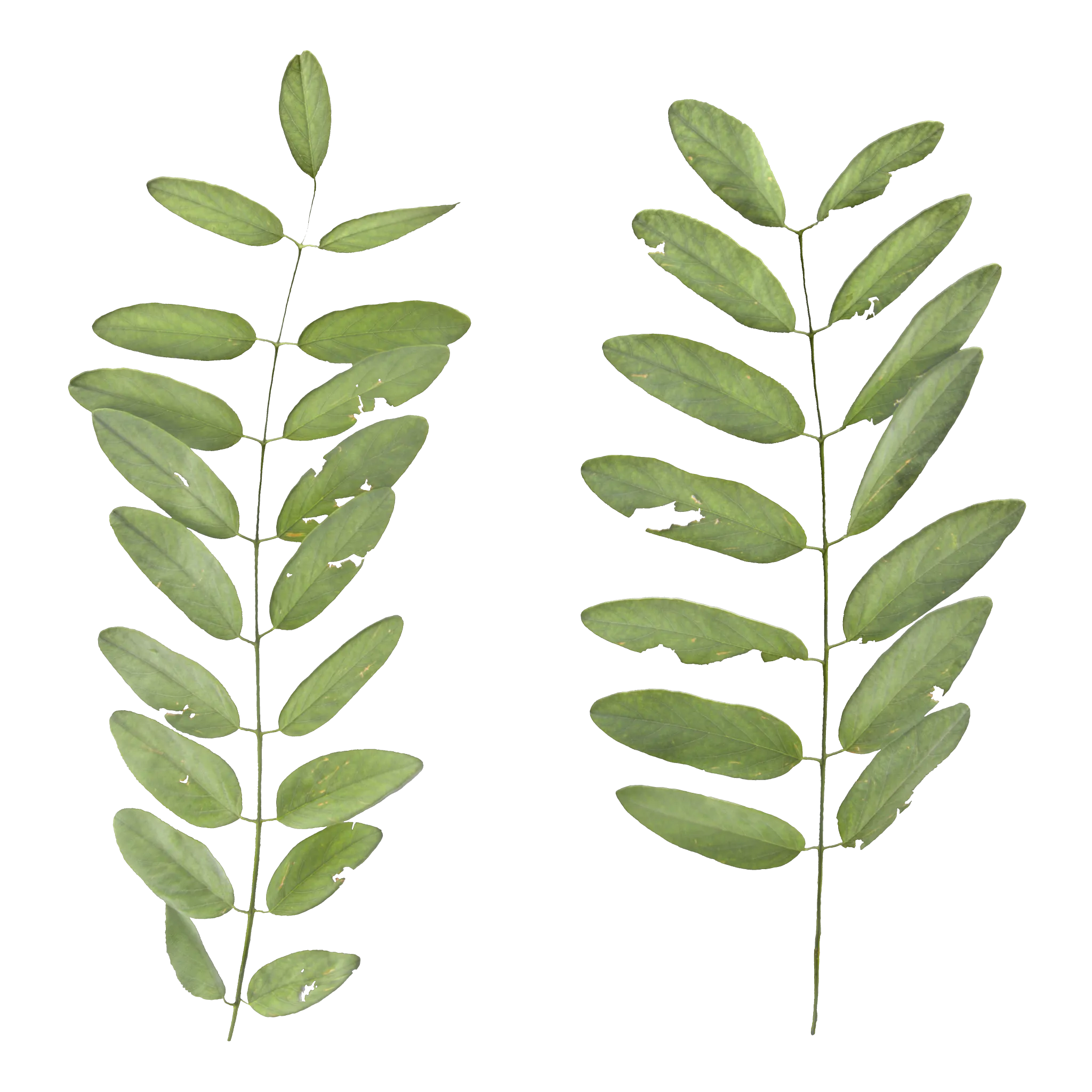
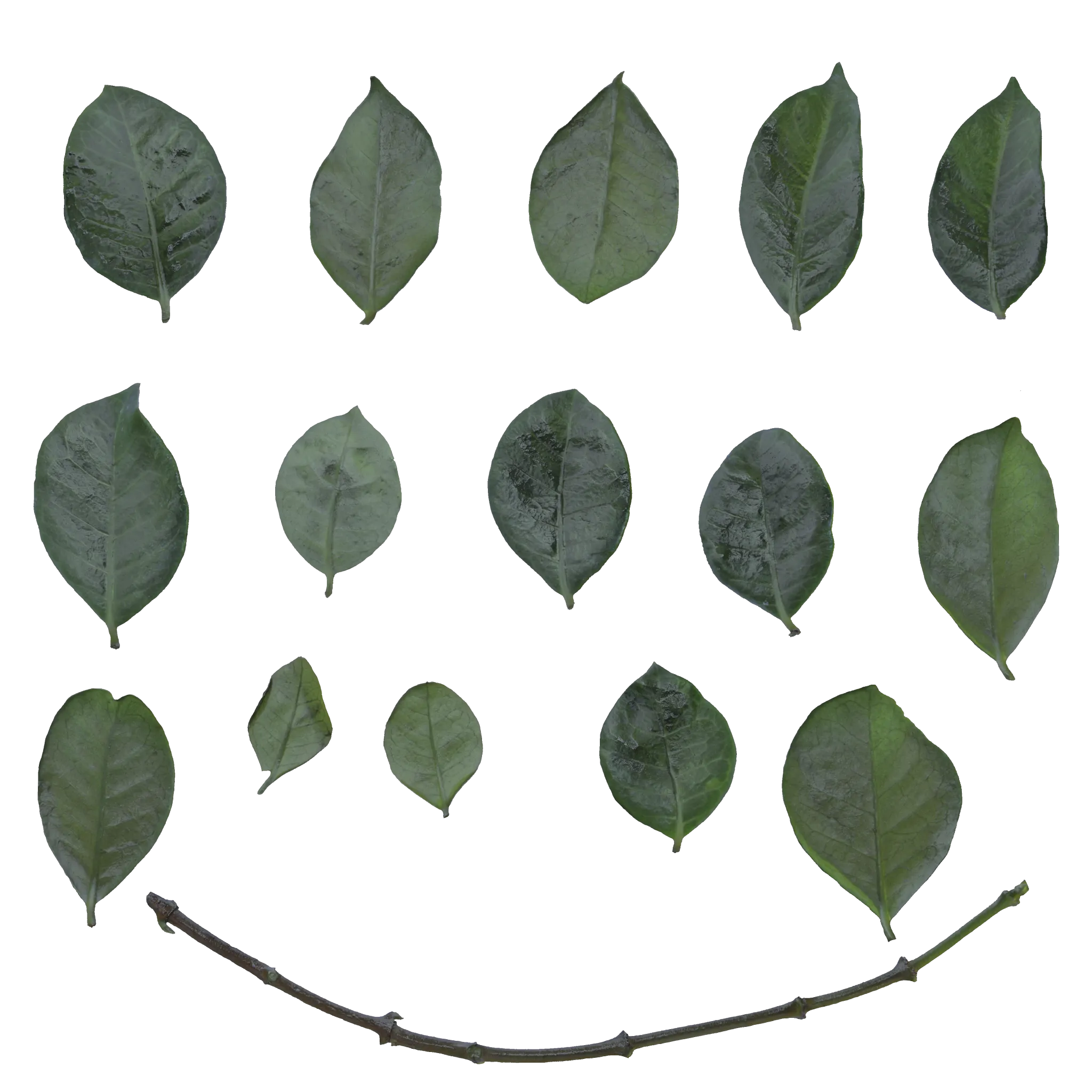
For game development and large environment scenes, individual leaf textures are not always the most efficient solution. An atlas can place multiple leaves or botanical elements inside a single texture, allowing several variations to share one material and texture resource.
This is particularly useful when building leaf cards, branches, bushes and low-poly vegetation. Instead of creating a separate material for every small element, artists can reference different regions of the same atlas through UV coordinates.
Explore available botanical resources.
How Leaf Textures Are Used in a 3D Workflow
A typical vegetation workflow starts with the texture rather than the final mesh. The leaf image can be used to create a card, define the alpha shape, generate a normal map and establish the base material properties.
For a game asset, the same leaf can then be duplicated across branches or arranged into a larger foliage cluster. In Blender, this can be handled with planes, Geometry Nodes or a conventional particle workflow. For Unreal Engine and Unity, atlas based materials can reduce the number of unique texture resources required by an environment.
The important part is keeping the texture information useful at the scale where the asset will actually be seen. Very detailed maps are valuable for hero assets, while an optimized atlas is often a better choice for background vegetation.
Production observation
When creating foliage cards, the alpha boundary is often more noticeable than the texture resolution itself. A clean leaf silhouette combined with a good normal map can produce a more convincing result than simply increasing a texture from 2K to 4K.
Leaf Texture Maps and Their Purpose
| Map | Typical use | Why it matters |
|---|---|---|
| Base Color | Leaf color and surface variation | Defines the visual character of the plant |
| Normal | Leaf veins and small surface detail | Adds depth without increasing polygon count |
| Roughness | Controls surface response to light | Helps avoid a flat plastic appearance |
| Alpha | Defines the leaf silhouette | Essential for leaf cards and cutout vegetation |
Choosing Between Individual Leaves and Atlases
The right format depends on the asset and the rendering environment. A single high quality leaf texture gives more control when building a hero plant or a close-up botanical asset. An atlas becomes more attractive when the same material needs to support many leaves, branches or vegetation variations.
For large environments, atlases can also simplify asset management. Several related elements can share a texture sheet while their geometry uses different UV regions. This approach is common in optimized game-dev textures and can work equally well in offline Blender scenes.
Useful for hero assets, close-ups and custom botanical studies.
Useful for repeated vegetation, leaf cards and optimized real time scenes.
Useful when natural surface variation is more important than manually painted detail.
Free CC0 Textures and Models for Vegetation
ShareTextures focuses on resources that can be used in practical production workflows. Alongside leaf and foliage materials, the library includes free 3D models, scanned materials, photogrammetry resources and other assets for artists working across different 3D software.
The CC0 licensing approach is especially useful when an asset needs to move between personal experiments, commercial visualization, game development and other production environments without adding complicated licensing requirements.
Browse more botanical resources through the leaf texture collection and the foliage collection.
Download Free Leaf and Foliage Resources
Explore CC0 textures, foliage atlases, scanned materials and 3D resources for Blender, game development, archviz and other 3D workflows.
EXPLORE FOLIAGE ATLASES